CareNotes on Apple Watch
Record from the wrist. Finish on the phone.
Start a session without touching your phone. The Watch captures the visit, the iPhone finishes the chart-ready note, and it is waiting when you walk out.
How it works
Wrist for capture. Phone for the review.
CareNotes on Apple Watch is for the operatory, not a second desktop. You start recording from the wrist so the phone can stay in a pocket or in the back office. That split is the product.
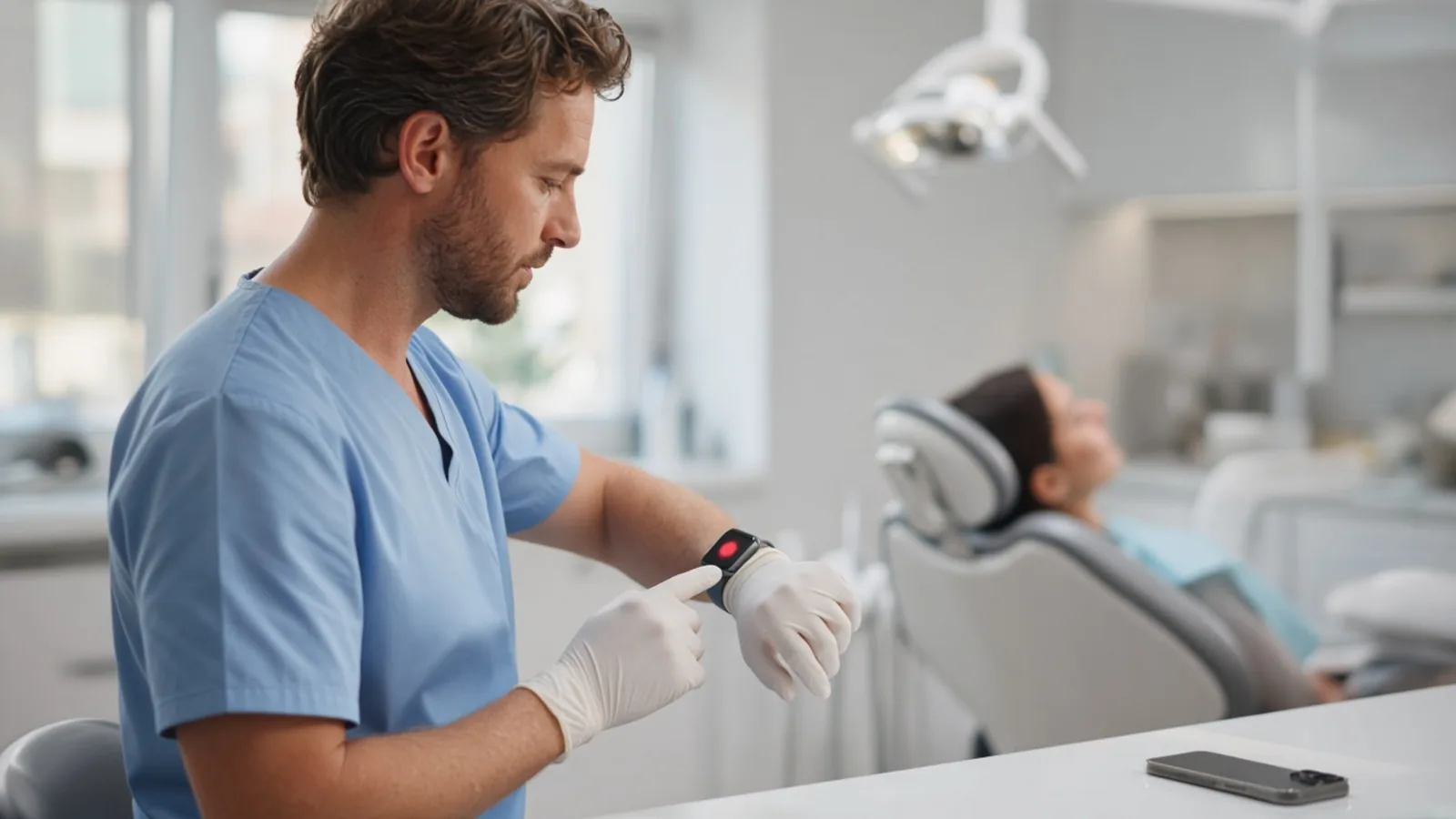
Tap record on the Watch
Start before you walk in. Hands-free from hallway to chair.
Talk normally
117+ procedure-specific agents coordinated by Carey listen for the visit, not one generalist model.
The phone finishes the note
Walk out. The chart-ready note is waiting to review, speak edits, and sign on the phone.
Into the chart
Copy from carenotes.ai/notes into any PMS, or send it straight into the linked chart from Ready to Upload. Premium
Forgot to hit record? Talk to CareNotes afterward like a scribe. Voice perio (pockets, BOP, recession, mobility, furcation) can still be spoken or tapped on the phone after the Watch recording.
On the Watch
Three screens. Nothing to learn.
The Watch app does one job. Your speaking language, note language, and active procedure templates come across from the phone, so the wrist stays a single button.
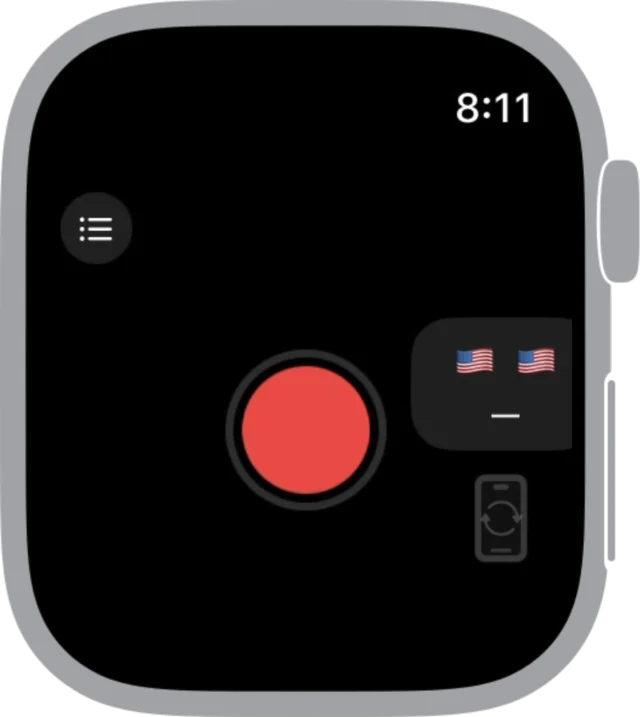
One big record button
Open the app and tap. The current language pair sits beside it so you can see what the session will use.
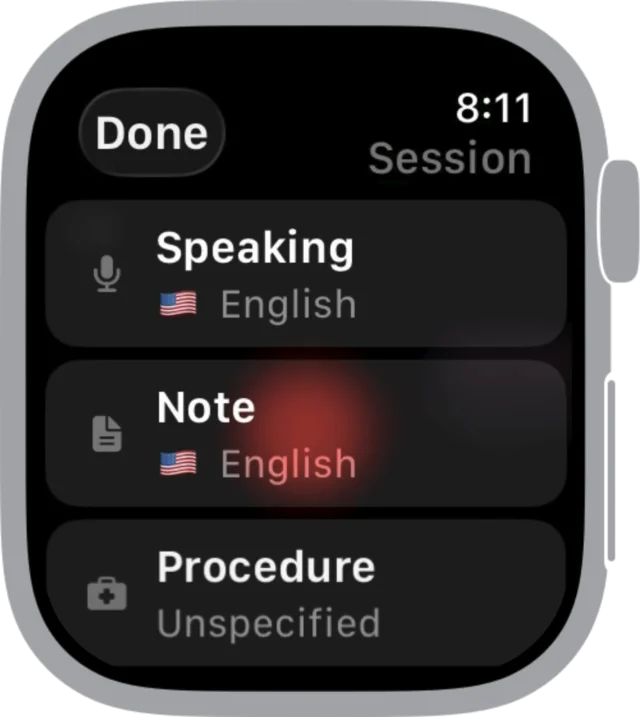
Speaking, note, procedure
Pick the speaking language, the note language, or the procedure for this visit right on the wrist. Custom procedure templates from your phone show up here too.
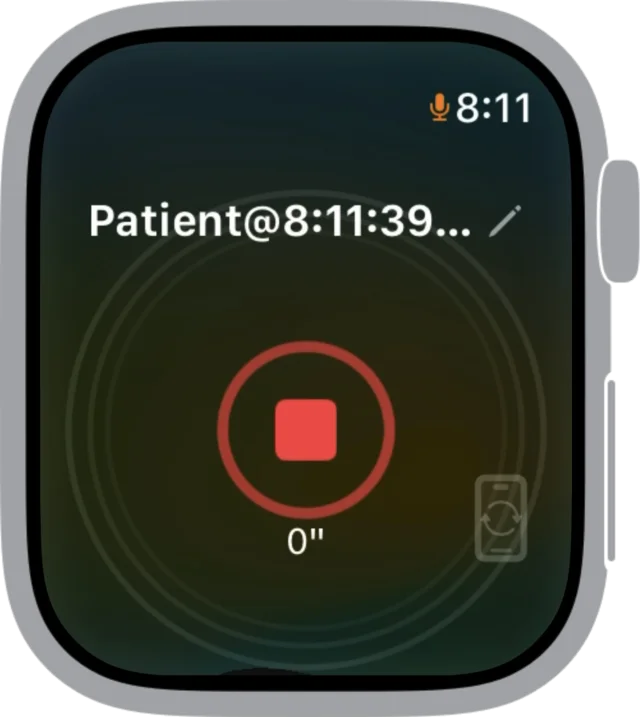
Timer, patient, stop
The session is labeled with the time it started. Tap stop when the patient leaves and the phone takes over.
Cross-device continuity
Start on one device. Add audio on another.
Start on the Watch when you greet the patient, add audio from the iPhone if you switch rooms, or continue on iPad. The note can be finished on the phone without waiting on a desktop, and without internet.
Watch
Capture
Chairside recording from the wrist. One tap before you walk in, one tap when you walk out.
iPhone and iPad
The note
The phone finishes the structured note. Review, speak edits, add perio, and sign. Speech-to-text runs on the device.
Web and desktop
Into the chart
Copy the finished note from History or carenotes.ai/notes into any PMS, or send it into the linked chart from the app. Premium
Android recording is on Google Play. Apple Watch recording is an Apple Watch feature.
Into the chart
Signed on the phone. Filed in your practice software.
Once the note is reviewed and signed, it goes into the chart one of two ways. Both start from the same Watch recording.
Copy and paste
Any practice software.
Open the note in History or at carenotes.ai/notes, copy it, and paste it into the chart. Works with every PMS.
Send to chart Premium
Straight into the linked chart.
Ready to Upload on Home sends the signed note into Open Dental or Dentrix Ascend from the app, or through the CareNotes Agent for Dentrix, Eaglesoft, and SoftDent.
Who it is for
Any provider who wants the phone out of the way at the chair.
Built chairside, for chairside
Owners, associates, specialists, hygienists, and assistants. CareNotes is an ambient dental AI scribe built in two Manhattan group dental offices, where a gloved hand should not have to reach for a phone.
- Hands-free from hallway to chair
- Review and sign on the phone, like any other visit
- Works with every PMS via copy and paste
Privacy at the wrist
Speech-to-text runs on the device. Patient audio does not leave the phone. PHI is not used to train models, and a BAA is executed with the practice. HIPAA, PIPEDA, and GDPR are named on the site.
Questions
The short answers.
Do I need Premium to record from the Watch?
No. Recording from the Watch, the AI note, transcription, editing, History, and custom templates come with every CareNotes account. Premium adds PMS integration and schedule sync. See pricing.
Does the Watch write the finished note by itself?
The Watch is for chairside recording from the wrist. The phone finishes the note. You review and sign on the phone, or continue on iPad or the web notes page.
Can I start on one device and add audio on another?
Yes. A patient can be started on one device and audio added on another: Watch, iPhone, iPad, or Android.
Does this work with Android?
Yes. CareNotes is on Google Play as well as the App Store. Apple Watch recording is an Apple Watch feature; Android users record from the phone.
Get started
Record from the wrist. Finish on the phone.
Install CareNotes on iPhone and the Watch app comes with it. Pair it once, then it is one tap before every patient.